
Track ships in real-time using a $20 SDR dongle!
Setting Up AIS-Catcher with OpenCPN on Windows: A Complete Guide
Why This Setup?
Automatic Identification System (AIS) lets you monitor vessel movements globally. With AIS-Catcher (a lightweight, open-source decoder) and OpenCPN (popular marine navigation software), you can turn an RTL-SDR dongle into a powerful AIS receiver. Perfect for sailors, hobbyists, or coastal residents!
You’ll Need:
- RTL-SDR dongle (e.g., RTL2832U-based “Blog V4” or similar).
- Windows PC (tested on Win 10/11).
- Antenna: Stock antenna works, but a VHF marine antenna (25cm+) improves range dramatically.
Step-by-Step Setup
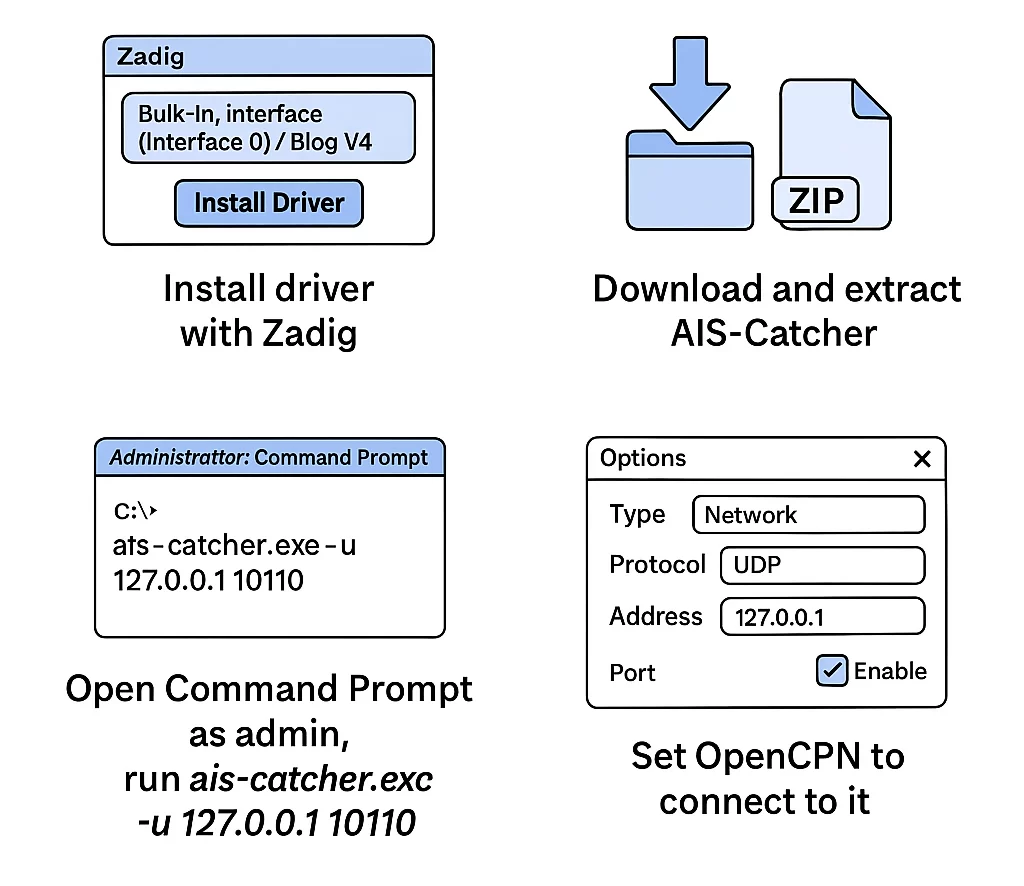
1. Install RTL-SDR Drivers
- Download Zadig.
- Plug in your RTL-SDR.
- Run Zadig as Administrator.
- In Options → List All Devices.
- From the dropdown:
- Select
Bulk-In, Interface (Interface 0)(often labeled “Blog V4”). - Driver: WinUSB → Click
Install Driver.
✅ Success? You’ll see “Driver Installed.”
💡 Troubleshooting: If your dongle isn’t listed, unplug/replug it or try different USB ports.
2. Install AIS-Catcher
- Download the latest
ais-catcher-windows.zipfrom GitHub Releases. - Extract to
C:\AIS-Catcher(create this folder if needed).
3. Launch AIS-Catcher
- Open Command Prompt as Administrator:
  cd C:\AIS-Catcher
  ais-catcher.exe -u 127.0.0.1 10110
✅ What to expect:
- A terminal shows real-time AIS messages like
!AIVDM,1,1,,A,.... - Errors? Ensure Zadig’s driver installed correctly.
⚙️ Pro Tip: Add
-v 10for verbose logs (e.g.,ais-catcher.exe -v 10 -u 127.0.0.1 10110).
4. Configure OpenCPN
- Install OpenCPN if not already.
- Open OpenCPN → Options (gear icon) → Connections.
- Under Data Connections:
- Click Add Connection.
- Settings:
- Type:
Network - Protocol:
UDP - Address:
127.0.0.1 - Port:
10110 - Check ✅ Input and ✅ Enable this connection.
- Type:
- Click OK → Apply.
5. View AIS Data!
- Position your antenna near a window (or outdoors).
- In OpenCPN’s map view:
- Ships appear as triangles with course/speed details.
- Click any vessel to see its name, destination, and MMSI.
🌊 Range: Expect 5-20 NM with a stock antenna; 50+ NM with an outdoor antenna.
Troubleshooting
- No ships appearing?
- Check AIS-Catcher’s terminal for messages.
- Ensure OpenCPN’s connection port matches AIS-Catcher’s output (
10110). - Try restarting both apps.
- Weak signal?
- Use an FM filter (87-108 MHz notch) to reduce interference.
- Elevate your antenna.
Going Further
- Overlay on Maps: Pair with VesselFinder to verify ship identities.
- Feed to Marine Traffic: Use rtl_ais to share data.
- Advanced AIS-Catcher Flags:
ais-catcher.exe -u 127.0.0.1 10110 -gr tuner gain 35 -s 2304000Conclusion
In under 10 minutes, you’ve built a ship-tracking station! This setup costs a fraction of commercial AIS receivers and is endlessly customizable. Share your results with #AIShacking on social media!
Questions? Drop them in the comments below! 👇
🔒 Disclaimer: AIS data is public, but respect privacy laws. Do not disrupt maritime communications.